


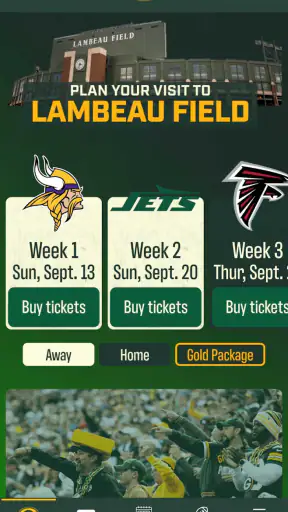
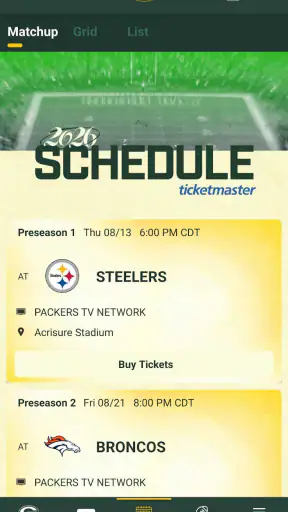
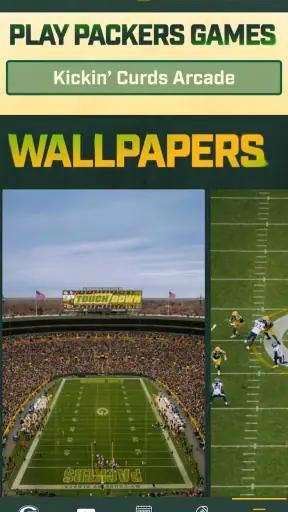
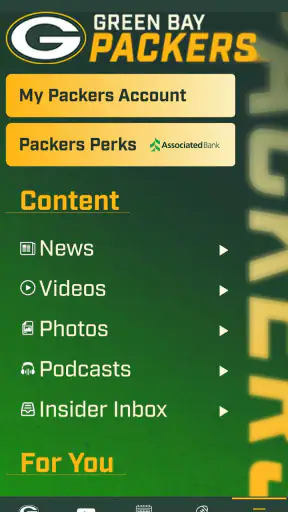
I approached Green Bay Packers as a practical sports companion rather than something I would open once and forget. It is the official mobile app for the Green Bay Packers, developed by YinzCam, Inc., and its main value is simple: it puts team-focused information in one place for supporters who would otherwise move between a browser, social feeds, video services, and general sports apps. I found that useful, especially on game days when speed and focus matter more than having every possible sports feature.
The app is free and rated for Everyone, so it is easy to recommend to a household with different ages and different levels of football knowledge. Its current version is 3.8.7, and it requires iOS or Android 10 or later. That operating-system requirement is worth checking before installation, because an older phone can create confusion that looks like an app problem when the real issue is compatibility.
What the Packers app is really useful for
My first impression is that this is best treated as a team hub. A general sports app may cover many leagues and provide a broader scoreboard, while the Packers app keeps attention on one organization. That narrower purpose is its strength. If I want Packers-centered updates without filtering through unrelated teams, the official app feels more direct.
It is also a better fit for a supporter who wants a recognizable team identity around the information. A casual football viewer may be satisfied with a general score service, but a committed Packers fan is more likely to appreciate having the club’s own mobile destination ready before a game. The distinction matters: this is not the app I would choose as my only source for every sport, every league, or deep cross-team comparison.
The published store response suggests that the app has built a substantial audience, with an average rating of 4.5 from around eighteen thousand ratings and more than one million installs. I would read that as evidence of broad usefulness, not a promise that every device or network will behave perfectly. App performance is often affected by the phone, operating system, connection, and the amount of traffic around a live event.
Where people can get stuck before they even use it
The most avoidable problem is installing first and checking the phone afterward. I would begin by confirming that the device runs at least Android or iOS 10. If the store allows installation but the app behaves strangely, I would still check the operating system, available storage, and whether the device has pending system updates. Those checks take less time than repeatedly opening and closing the app.
Another common point of friction is expecting a team app to behave exactly like a television service or a full sports data platform. I would not assume that installing the Packers app automatically replaces a live broadcast subscription, a league-wide scoreboard, or a social network. Its role is team-specific. That expectation-setting is important because disappointment often comes from asking one app to perform a different job.
On a busy game day, I would also avoid judging the entire app from one slow screen. Live sports create unusually heavy demand, and a delayed refresh may be temporary. Before deciding that the application is broken, I would try another section, switch between Wi-Fi and mobile data if available, and reopen it after a short pause. If other apps are also struggling, the connection is the more likely suspect.
Setup checks that save time later
After installing, I would open the app on a stable connection rather than waiting until kickoff. This gives the application time to finish its first loading cycle and lets me see whether the device, network, and software version work together normally. It also avoids making the first launch part of the most important moment of the day.
I would then look through the available navigation calmly, noting where team information, game-related material, and media or news areas appear. Menus can change between releases, so I would not rely on an old screenshot or a friend’s description. The useful habit is to learn the route to the information I care about before I need it.
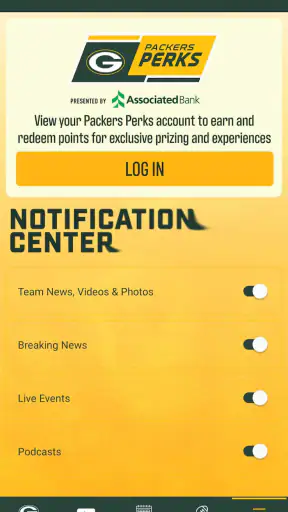
If the app asks for optional access or notification choices, I would make those decisions based on how I actually follow the team. Someone who wants timely reminders may prefer alerts enabled, while a person who checks manually may want fewer interruptions. The practical point is to review those choices rather than accepting every prompt automatically.
I would also keep the app updated through the normal device store. The current release is 3.8.7, and staying current can reduce avoidable compatibility problems. At the same time, I would not update a few minutes before an important event unless necessary; doing setup work earlier is safer than changing the software when I am already trying to follow a game.
A recovery workflow when a page will not load
When something fails, I use a short sequence instead of jumping straight to reinstalling. First, I check whether other websites or apps load. If they do not, I address the connection. If they do, I close the Packers app completely and open it again. This simple restart often separates a temporary session problem from a wider service issue.
Next, I check the operating system and app version. An older system can prevent a current app from working correctly, while an outdated app can create its own problems. I would also restart the phone if the application remains unresponsive. That is basic advice, but it is especially useful when the device has been running many apps during a long game day.
If only one area appears stuck, I would try a different part of the app instead of repeatedly tapping the same control. A single delayed feed does not necessarily mean the whole application is unusable. I would return later, particularly during a live event, and compare the behavior on another connection when possible.
Reinstallation is my last routine step, not my first. It can clear local glitches, but it also creates extra setup work and may remove locally remembered choices. Before taking that step, I would make sure I know any account details or preferences I may need again. Since this is a free app, cost is not the concern; time and lost convenience are.
There is also a useful distinction between a crash and missing content. A crash points toward the app, device, or operating system. A page that opens but does not refresh may instead involve connectivity or a temporary service delay. Treating those situations differently makes troubleshooting faster and prevents unnecessary changes to the phone.
When the app may not be the cause
Sports information is time-sensitive, so the surrounding environment matters. A weak signal, crowded public Wi-Fi, battery-saving behavior, or an older phone can all make an otherwise sound application feel unreliable. I would test the same connection with another service before blaming the Packers app, especially if images or video-like content elsewhere are also slow.
Device resources matter as well. If the phone is nearly full or several demanding apps are open, closing unused apps and freeing a little space may help. I would not treat that as a Packers-specific fault. It is a general device-maintenance step that can improve the experience of any modern sports app.
Timing can influence perception. A supporter who opens the app seconds after a major play may expect every item to update immediately. If the score or story appears late, I would give it a moment and cross-check only when accuracy matters. For a critical decision, such as confirming an event time, I would use the most authoritative current source available rather than relying on one delayed screen.
Notifications deserve similar caution. If an alert does not arrive, I would check the phone’s notification settings, quiet modes, battery restrictions, and connection before concluding that the app failed. If alerts arrive too often, I would adjust the settings instead of uninstalling the app. This is one of the more practical benefits of separating app behavior from phone-level controls.
How I would use it on an ordinary game day
My preferred routine would start earlier in the day. I would open the app while at home, confirm that it loads normally, and identify the section I expect to use. Before leaving for work or a gathering, I would make sure the phone is charged and that I am not depending on an unfamiliar public network for the first launch.
Imagine checking the team during a lunch break, then following updates while commuting, and finally using the app from a living room where the television is showing the game. In that situation, the app works as a focused second screen. I can use it for Packers-specific context without turning a general sports feed into a stream of unrelated scores.
The trade-off is that I would not make it my only plan for live coverage. If the connection becomes unstable or the app is busy, a radio broadcast, television service, or general score app may be a better backup depending on what I already use. The Packers app is most valuable as the team-centered layer, not necessarily as a complete replacement for every other way of following football.
Who will get the most from it
I think it suits Packers supporters who want a dedicated home for team information and prefer an official source over a mixed social feed. It is also sensible for families because the Everyone rating removes the concern that the app is aimed at a mature audience. Newer fans may appreciate the single-team focus, while long-time supporters can use it as a convenient companion to their existing game-day habits.
It is less compelling for someone who follows many teams equally and wants one application to compare leagues, competitions, and sports. A broad sports platform may be more efficient for that person. I would also skip making it the center of my routine if I rarely follow the Packers; the team-specific design would offer little advantage compared with the general sports tools already on the phone.
People with older devices should check the minimum operating-system requirement before getting invested. Those who dislike notifications should be prepared to tune them rather than assuming the app must remain noisy. And anyone expecting guaranteed live video, complete league coverage, or a substitute for paid broadcast access should choose a service designed specifically for that purpose.
My practical verdict after weighing the friction
What I like most is the clarity of purpose. I do not have to search through a crowded sports dashboard to reach Packers-focused information. The free price also makes trying it low-risk, and the combination of a 4.5 average, roughly eighteen thousand ratings, and over one million installs shows that it has become a familiar choice for many supporters.
What keeps me from calling it a universal sports solution is the same narrow focus that makes it useful. It is not the best answer for every league, every sport, or every kind of live coverage. It also needs sensible preparation: a supported operating system, a reliable connection, reasonable phone resources, and a little patience when traffic is high.
My recommendation is straightforward: install it before the next Packers game, test it at home, decide which alerts you actually want, and keep a second way to follow live action if the event matters to you. That small amount of preparation removes most avoidable frustration. The best reason to use this app is not that it does everything; it is that it keeps the Green Bay Packers at the center of the experience.
For me, that makes it a worthwhile free sports app for Packers fans, particularly those tired of sorting team updates from general sports noise. I would recommend it to a friend who follows the club regularly, with one honest qualification: use it as a focused companion and understand its boundaries. With that expectation, it feels practical, accessible, and much easier to troubleshoot when something goes wrong.


